The best apps to delete photos: 5 swipe apps compared
Short answer
The best-known apps to delete photos by swiping are Swipewipe, Slidebox, Slider, Clever Cleaner and Gallery Guru. All are free to download with paid upgrades. Swipewipe and Clever Cleaner add AI tools for similar and blurry photos, Slidebox sorts photos into albums, Slider is a plain swipe stack for photos and videos, and Gallery Guru goes month by month with file sizes, a review grid and a one-time purchase option. Only Swipewipe, Slidebox and Gallery Guru are also on Android.
How we compared
We make Gallery Guru, so read this with that in mind. Everything below about other apps comes from their App Store listings (description, in-app purchases, privacy label) as of 21 October 2026, US App Store. Prices and features change – check the listing before you buy. Spotted something outdated? Tell us and we’ll fix it.
Overview: platforms, ratings and prices
| App | Platforms | App Store rating (US) | Paid options (US) |
|---|---|---|---|
| Gallery Guru | iPhone, Android | 5.0 (3 ratings) | Free: 50 swipes a day. Pro: weekly to yearly subscription ($19.99/year) or $49.99 once |
| Swipewipe (MWM) | iPhone, iPad, Android | 4.7 (98,506) | Weekly $3.99–$9.99, “1 year premium” $29.99, “Premium” $5.99–$9.99 |
| Slidebox | iPhone, iPad, Mac, Android | 4.8 (16,641) | Weekly $1.99–$2.99, yearly $19.99–$29.99, lifetime $29.99–$49.99 |
| Slider (June Ninth) | iPhone, iPad, Mac | 4.8 (11,469) | Premium yearly $19.99 |
| Clever Cleaner (CleverFiles) | iPhone, Mac | 4.8 (83,929) | Free daily limits; weekly $6.99 (with trial), lifetime $39.99 |
The App Store shows up to ten in-app purchases per app, so some apps may have more price points. We found no Android version of Slider or Clever Cleaner on Google Play.
What each app does
| App | How you clean up | Extras (from the listing) |
|---|---|---|
| Gallery Guru | Month by month: swipe left to delete, right to keep; review grid before deleting; undo | File size, date and resolution on every card, separate Videos tab (Pro), statistics, works offline without uploading photos, no account |
| Swipewipe | Month by month, swipe right to keep, left to delete | “On This Day” and widget, photo map, AI photo enhancement, finds similar and blurry photos and old screenshots, bookmark photos to decide later |
| Slidebox | Swipe to delete, tap to sort into albums | Compare similar photos, favorites, undo, paid cloud storage for albums |
| Slider | A keep-or-delete stack for photos and videos; review before emptying the trash | Full video support; says it works entirely on the device |
| Clever Cleaner | Cleanup tools by category | AI groups duplicate and similar photos and marks the best shot, large videos sorted by size, screenshots, video compression, Live Photos to stills |
Privacy: what the App Store labels say
Every app on the App Store has a privacy label filled in by its developer. Here is what they declare for “Data Used to Track You” and whether photos or videos are collected:
| App | Data used to track you | Photos or videos collected |
|---|---|---|
| Gallery Guru | Identifiers, usage data | No |
| Swipewipe | Identifiers, usage data, other data | No |
| Slidebox | None declared | Yes, “not linked to you” (app functionality) |
| Slider | Identifiers, usage data | No |
| Clever Cleaner | Identifiers | No |
So most of these apps use analytics or ad measurement, Gallery Guru included. The more important question for a photo app is whether your pictures leave the phone: Gallery Guru decides and deletes everything on the device and never uploads photos or videos. Details are in our privacy policy.
Gallery Guru: month by month, with a review step


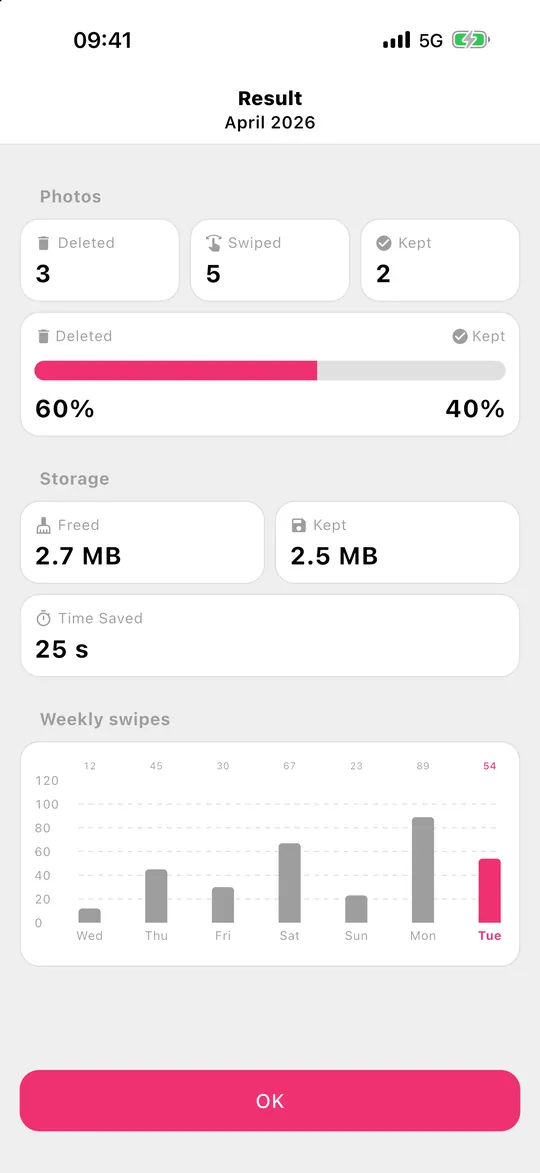
Gallery Guru splits your library into months, each with a progress ring, so a huge camera roll becomes small chunks you can finish. Every card shows date, file size and resolution; swipe left to delete, right to keep, undo any swipe, then check everything in the review grid and delete it at once. Deleted items go to Recently Deleted for 30 days. Videos have their own tab, sorted by month like photos.
Good to know: Gallery Guru doesn’t detect duplicates, similar or blurry photos automatically and doesn’t compress anything. It’s free with 50 swipes a day; Pro adds unlimited swipes and videos, as a subscription or a one-time purchase.
Which app fits you?
- You want an algorithm to find duplicates and similar shots: Clever Cleaner or Swipewipe – or start with the free Duplicates album built into the Photos app (Collections → Utilities → Duplicates).
- You want to sort photos into albums while you go: Slidebox.
- You want a plain keep-or-delete stack on iPhone: Slider.
- You want to work through your whole library month by month, see file sizes, review before deleting, and prefer a one-time purchase – on iPhone or Android: Gallery Guru.
All of them delete through the Photos library, so with iCloud Photos turned on, deletions sync to iCloud and your other devices. Still unsure what kind of app you need? Read swipe app vs. duplicate finder.
Coming from a specific app? Our head-to-head pages: Slidebox alternative and Swipewipe alternative.
Frequently asked questions
What is the best app to delete photos?
It depends on your library. For deciding photo by photo, swipe apps are fastest: Gallery Guru (month by month, iPhone and Android), Swipewipe, Slidebox or Slider. If most of your clutter is duplicates and burst shots, a tool with automatic detection such as Clever Cleaner – or the free Duplicates album in Photos – saves more time.
Is there a free app to delete photos?
All five apps are free to download with limits or paid upgrades. Gallery Guru is free with 50 swipes every day; Clever Cleaner has free daily limits. The Photos app itself is free and lets you select and delete many photos at once.
Which app is like Tinder for photos?
Swipe apps: swipe left to delete, right to keep. Gallery Guru, Swipewipe, Slidebox and Slider all work this way.
Are photo cleaner apps safe?
Check the App Store privacy label and whether the app uploads photos. Look for a review step before deleting and for apps that use the system’s Recently Deleted album, so you can still restore photos for 30 days. More in how to choose a photo cleaner app.