
Swipewipe alternative: Gallery Guru vs. Swipewipe, compared honestly
Short answer
Swipewipe (by MWM) and Gallery Guru work alike: go through your photos month by month, swipe right to keep, left to delete, review before anything is deleted. Swipewipe does more – duplicate piles, On This Day, an AI photo enhancer and more tools – and needs iOS 18. Gallery Guru is the simpler choice: date, file size and resolution on every card, iOS 15 and later, and a lifetime purchase besides subscriptions. Stay with Swipewipe if you want its extras.
Try Gallery Guru – free with 50 swipes a day:


How we compared
We make Gallery Guru, so read this with that in mind. Everything about Swipewipe comes from its App Store listing (US), its Google Play listing and swipewipe.com (features and help pages), as of 21 October 2026. What we couldn’t verify is left out. Spotted something outdated? Tell us and we’ll fix it.
Gallery Guru vs. Swipewipe at a glance
| Gallery Guru | Swipewipe | |
|---|---|---|
| Made by | Warin Winnicke, independent developer in Hamburg | MWM (France); created by Adam O’Kane, acquired by MWM in 2024 |
| Platforms | iPhone (iOS 15+), Android | iPhone and iPad (iOS 18+), Android |
| How you clean up | Month by month: swipe left to delete, right to keep, undo | Month by month (plus Recents, On This Day, albums): right to keep, left to delete, undo |
| Before anything is deleted | Review grid, then delete all at once | Review screen, then confirm |
| After deleting (iPhone) | Recently Deleted, restorable for 30 days | Recently Deleted, restorable for 30 days |
| File size and date | On every card, with resolution | On iPhone, hold a photo to see size, date and location |
| Duplicates and similar photos | No automatic detection | Groups identical and near-identical photos |
| Extras | Separate Videos tab (Pro), statistics, reminders | On This Day with widget, AI photo enhancer, Supercut videos, bookmarks, stats and streaks, world map (iPhone, subscription) |
| Account | None | Not needed (optional Sign in with Apple) |
| Free version | 50 swipes a day plus monthly bonus swipes | Limited swipes with a countdown or a short video for more; with ads |
| Paid options (US) | Pro: subscription ($19.99/year) or $49.99 once | Weekly $3.99–$9.99, “1 year premium” $29.99, “Premium” $5.99–$9.99 |
| App Store rating (US) | 5.0 (3 ratings) | 4.7 (98,506 ratings) |
| Privacy label: data used to track you | Identifiers, usage data | Identifiers, usage data, other data |
| Privacy label: photos or videos collected | No | No |
| App size (App Store) | 63.9 MB | 241.5 MB |
The App Store shows up to ten in-app purchases per app; the price you see in the app may differ by country and offer.
What Gallery Guru does differently


- Runs on older iPhones. Gallery Guru needs iOS 15 or later; Swipewipe requires iOS 18.
- File size at a glance. Every card shows date, size and resolution, so you see right away which photos and videos are worth deleting.
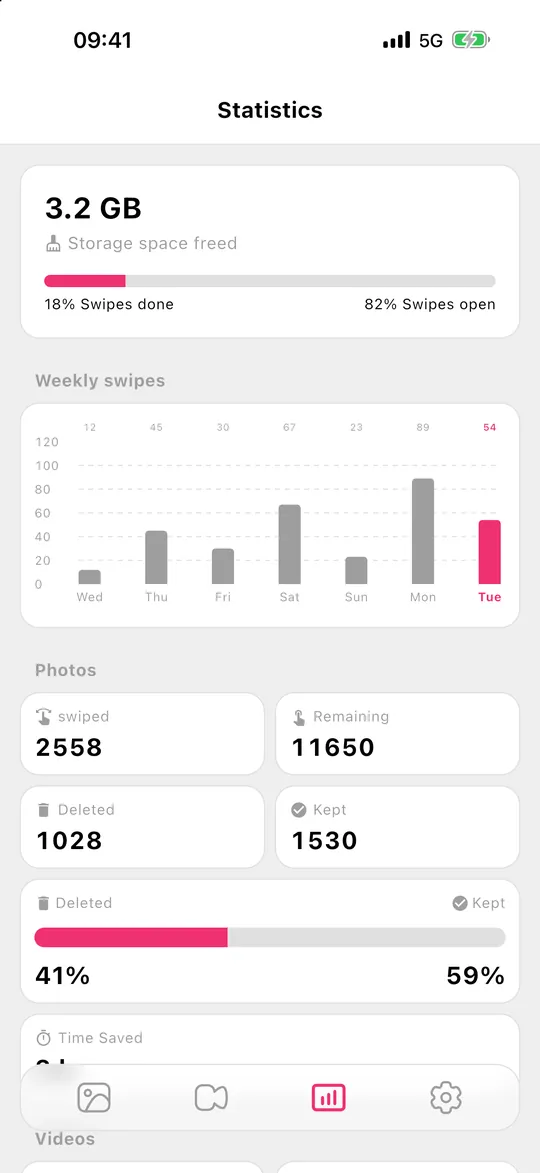
- Focused on clean-up. No AI tools, no feeds – months, swipes, a review grid and statistics. Months can be sorted by date, photo count or progress.
- One-time purchase. Besides subscriptions, Pro is available as a lifetime purchase ($49.99 in the US).
- On the device, no account. Gallery Guru works offline and never uploads photos or videos.
When Swipewipe is the better choice
- You want duplicates found for you. Swipewipe groups identical and near-identical photos into piles. Gallery Guru has no duplicate or similar-photo detection.
- You like the extras. On This Day, a home-screen widget, streaks, a photo map, Supercut videos and an AI photo enhancer – Gallery Guru has none of these.
- You use an iPad or OneDrive. Swipewipe runs on iPad, and on Android it can sort photos stored in OneDrive.
- Lots of ratings matter to you. Swipewipe has close to 100,000 ratings on the US App Store; Gallery Guru is new.
How to switch from Swipewipe to Gallery Guru
- Finish or discard open picks. In Swipewipe a left swipe only marks a photo; it’s deleted when you confirm on the review screen. Confirm or clear what’s still marked before you leave.
- Cancel a subscription if you have one. Uninstalling doesn’t cancel it: on iPhone go to Settings → [your name] → Subscriptions; on Android, Google Play → Payments & subscriptions.
- Install Gallery Guru and allow access to your photos.
- Pick up where you stopped. Start with a month you haven’t finished – each month has its own progress ring.
- Review and delete. Tap Review, check what you swiped left and delete it at once. On iPhone it goes to Recently Deleted for 30 days.
Honest limits of Gallery Guru
- No automatic detection of duplicates, similar or blurry photos, and no AI tools.
- No iPad version, no widget, no On This Day.
- The free version has 50 swipes a day (plus monthly bonus swipes); Pro removes the limit and unlocks videos.
- No cloud storage or backup – make sure your photos are backed up before a big clean-up.
- With iCloud Photos on, deletions sync to all your devices – that’s true for Swipewipe as well.
Frequently asked questions
What is a good alternative to Swipewipe?
Gallery Guru works the same way – month by month, left to delete, right to keep, review before deleting – but focuses on clean-up, shows file sizes on every card, runs on iOS 15 and later and offers a lifetime purchase. More options in the best apps to delete photos, compared.
Is Swipewipe free?
Swipewipe is free to download and use with ads. According to its help page, the free version limits the number of swipes: at the limit a countdown starts, or you can watch a short video for more. The subscription removes ads and limits. On the US App Store, weekly plans cost $3.99–$9.99 and a year $29.99 (October 2026).
Is Swipewipe safe?
Swipewipe deletes through your photo library and only after you confirm on the review screen; on iPhone deleted photos stay in Recently Deleted for 30 days, on Android deletion is final. Its App Store privacy label doesn’t list photos or videos as collected, but declares identifiers, usage data and other data used to track you. MWM’s terms say content you submit to AI-powered features may be sent to AI providers. Check the label and privacy policy for details.
Does Swipewipe need an account?
No. According to Swipewipe’s help page, signing in with Apple is optional. Gallery Guru has no account at all.
Does Swipewipe work on older iPhones?
The current App Store version requires iOS 18 or later. Gallery Guru runs on iOS 15 or later.
Who makes Swipewipe?
Swipewipe was created by Adam O’Kane (Afternoon Products). MWM, a French app publisher, has published it since October 2022 and acquired it in June 2024.
