How to find and delete large videos on iPhone
Short answer
Videos are usually the biggest space users on an iPhone: one minute of 4K at 60 fps takes about 400 MB. Open Photos → Collections → Media Types → Videos to see all videos with their length; long ones are the big ones. Delete them with Select and the trash icon, or swipe through your videos in Gallery Guru, which shows each file’s size. Then empty “Recently Deleted” to free the space.
Delete large videos on iPhone
- Open the Videos collection. In Photos, tap Collections, scroll to Media Types and tap Videos.
- Spot the long ones. Each thumbnail shows the duration – long and 4K videos are the largest files.
- Delete. Tap Select, choose the videos and tap the trash icon.
- Free the space. Empty Photos → Collections → Recently Deleted.
How much space do iPhone videos take?
Apple lists the sizes in Settings → Camera → Record Video (HEVC format, per minute):
| Quality | Approx. size per minute |
|---|---|
| 1080p HD at 30 fps | 60 MB |
| 4K at 30 fps | 170 MB |
| 4K at 60 fps | 400 MB |
So a three-minute 4K concert clip can be over a gigabyte – as much as several hundred photos.
Finding the big videos in the Photos app
The Photos app cannot sort by file size. The closest you get: Photos → Collections → Media Types → Videos. The duration is shown on every thumbnail – long videos are the big ones. In Settings → General → iPhone Storage → Photos you may also see a suggestion to review personal videos.
Swipe through your videos with Gallery Guru
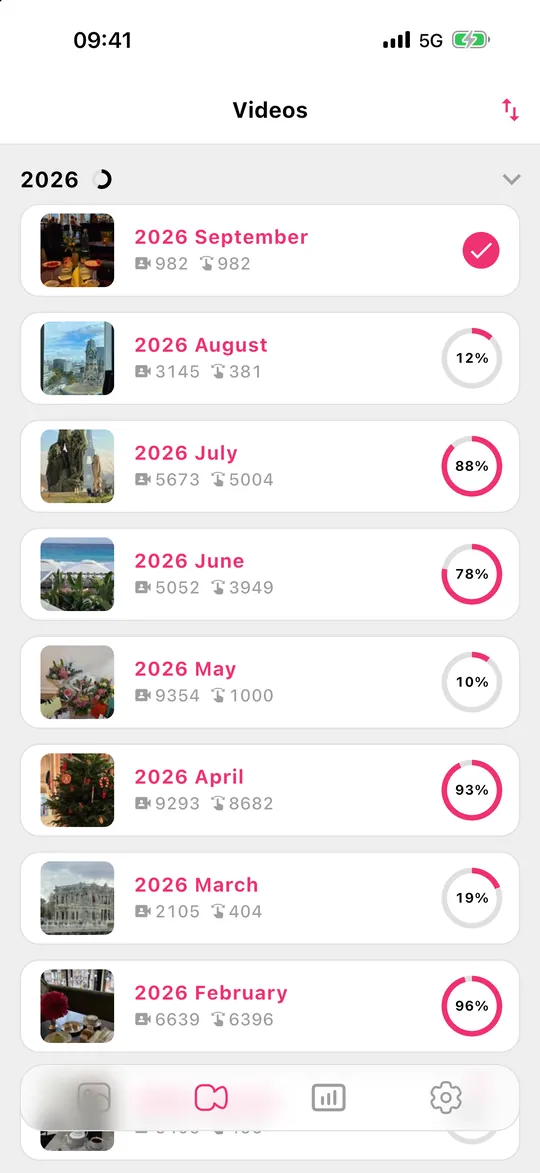
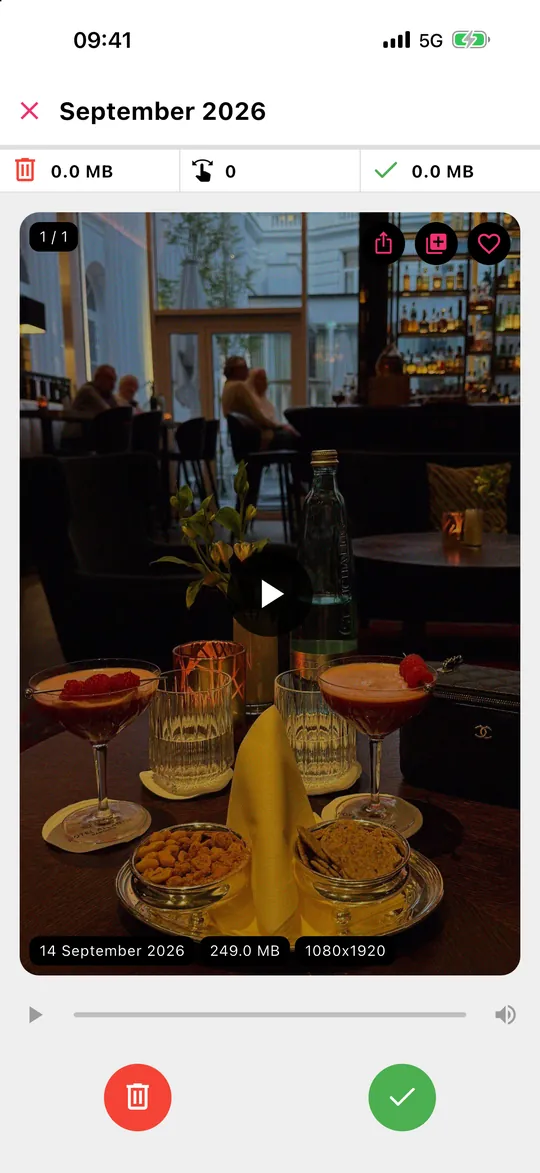
Gallery Guru has a separate Videos tab, organized by month like your photos. Every card shows the file size and resolution, so you see immediately which clips are worth deleting. Swipe left to delete, right to keep, review, then delete all at once – the statistics show how much storage you freed. Swiping videos is part of Gallery Guru Pro.
Want to keep a video but not the gigabytes?
- Trim it: open the video → Edit → drag the ends → Save as New Clip, then delete the original.
- Move it to a computer or external drive before deleting it from the phone.
- Record future videos in 1080p unless you really need 4K (Settings → Camera → Record Video).
Frequently asked questions
Can I sort iPhone videos by size?
Not in the Photos app – it sorts by date only. Duration is the best indicator in Photos. Apps like Gallery Guru show the file size on each video while you go through them.
Do slow-motion and Cinematic videos take more space?
Yes. Slow-motion records at a high frame rate and Cinematic mode at high quality, so they use more storage per minute than normal video.
Does deleting videos on iPhone free iCloud storage?
Yes, if iCloud Photos is on – the deletion syncs to iCloud. More on iCloud storage.